Awake, awake, put on strength, O arm of the LORD; awake, as in the ancient days, in the generations of old. Art thou not it that hath cut Rahab, and wounded the dragon?
Isaiah 51:9
A simple solution of a file manager written in bash script. Yes, this project is truly unique in its simplicity, speed and elegance. It supports several operating systems like Linux, BSD, macOS, Haiku, including installation methods for them but also the standard manual installation via “Makefile”. The size of the entire directory is only 76 kilobytes, and the size of the application is only 33 kilobytes! The file manager supports basic file operations (copying, moving, cutting, completing commands with the Tab key). It also offers more serious features, such as a plugin for opening files for the popular text editor Vim, for opening images with the popular text web browser w3m!
Installing fff on Linux
Dependencies:
- bash 3.2+
coreutils- File operations.
xdg-utils(optional).
for image display
w3m-imgxdotoolfor X.fbsetfor the framebuffer.
Manual install
Grab the latest release from GitHub, unzip it and enter the directory fff-2.2.
[root@localhost ~]# wget https://github.com/dylanaraps/fff/archive/refs/tags/2.2.zip
2022-07-16 18:25:31 (13.6 KB/s) - ‘2.2.zip.2’ saved [17931]
[root@localhost ~]# unzip 2.2.zip
Archive: 2.2.zip
5045c4ab91f559a3735619dacf604e37632160cf
 creating: fff-2.2/
inflating: fff-2.2/.travis.yml
inflating: fff-2.2/LICENSE.md
inflating: fff-2.2/Makefile
inflating: fff-2.2/README.md
inflating: fff-2.2/fff
inflating: fff-2.2/fff.1
[root@localhost ~]# cd fff-2.2
For installation use command ‘make install’.
[root@localhost fff-2.2]# ls -lha
total 76K
drwxr-xr-x 2 root root  185 Sep 17  2020 .
dr-xr-x--- 3 root root  318 Dec 26  2020 ..
-rwxr-xr-x 1 root root  33K Sep 17  2020 fff
-rw-r--r-- 1 root root 5.2K Sep 17  2020 fff.1
-rw-r--r-- 1 root root 1.1K Sep 17  2020 LICENSE.md
-rw-r--r-- 1 root root  516 Sep 17  2020 Makefile
-rw-r--r-- 1 root root  10K Sep 17  2020 README.md
-rw-r--r-- 1 root root  215 Sep 17  2020 .travis.yml
[root@localhost fff-2.2]# make install
Usage of fff
To start fff from the terminal type ‘fff’.
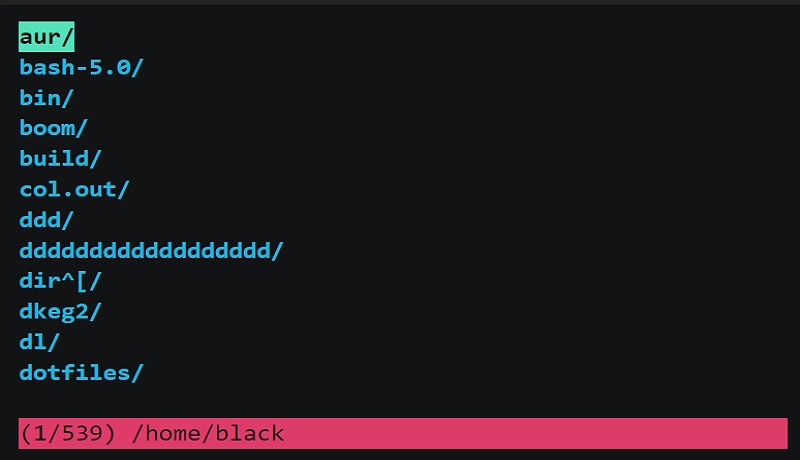
This is the starting screen of the file manager. It opens the current directory and use vim key bindings.
fff
fff.1
LICENSE.md
Makefile
README.md
Here is a list of the most popular fff commands.
g: Go to top.
G: Go to bottom.
-: Go to previous directory.

down arrow: Scroll down.
up arrow: Scroll up.
left: Go to parent directory.
right: Go to child directory.

Y: Mark all for copy.
M: Mark all for move.
D: Mark all for trash (~/.local/share/fff/trash/).
S: Mark all for symbolic link.
B: Mark all for bulk rename.

.: Toggle hidden files.
/: Search.
t: Go to trash.
~: Go to home.
e: Refresh current directory.
!: Open shell in current directory.
To view file attributes select the file and use key ‘x’.
Example of README.md file attributes.
(5/5) /root/fff-2.2/README.md
  File: /root/fff-2.2/README.md
  Size: 10183 Blocks: 24 IO Block: 4096 regular file
Device: ch/12d Inode: 229745 Links: 1
Access: (0644/-rw-r--r--) Uid: ( 0/ root) Gid: ( 0/ root)
Access: 2020-09-17 13:15:31.000000000 +0300
Modify: 2020-09-17 13:15:31.000000000 +0300
Change: 2022-07-16 21:01:05.902000000 +0300
 Birth: -
Press ‘q’ to quit fff file manager.
Comments