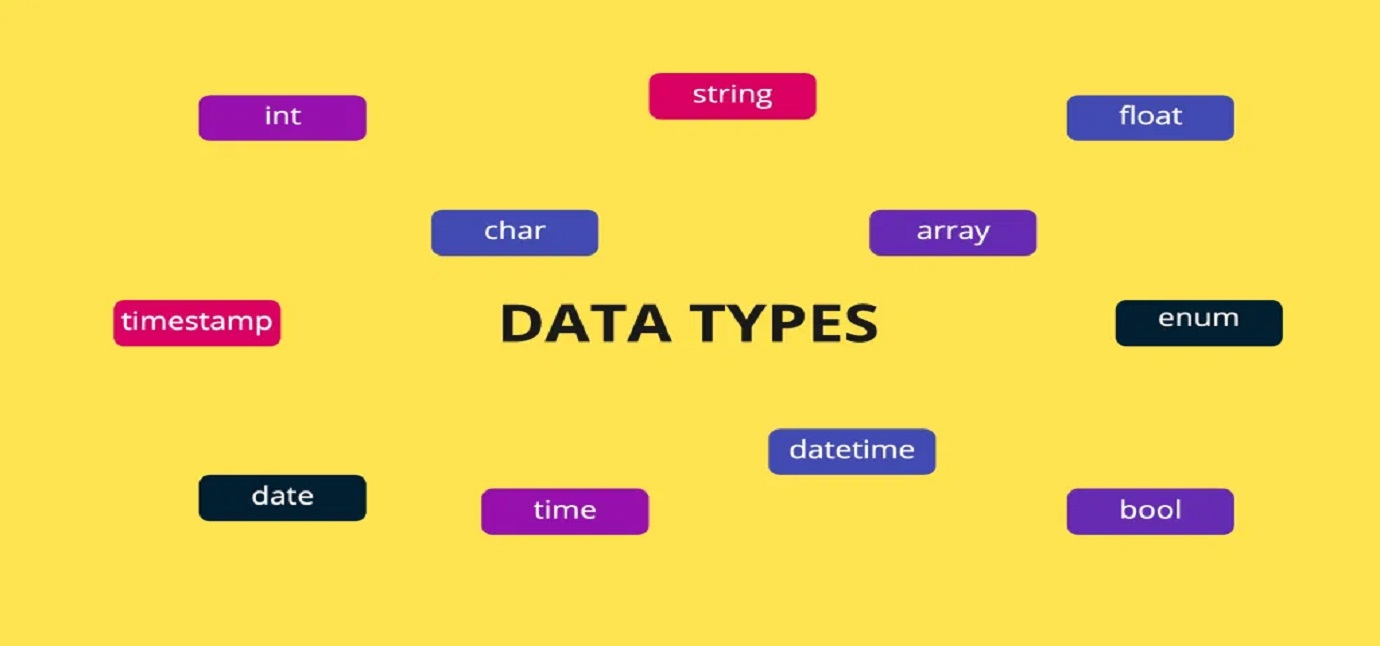
The grass withereth, the flower fadeth: but the word of our God shall stand for ever.
Isaiah 40:8
Datum and data
Datum – / Latin / from neuter of datus.
Datum word was originally plural, now is rarely used only in the singular.
Data occurs as a plural noun (as profits), also as an abstract mass noun (as information), taking a verb in the singular and modifiers in the singular.
If we could look at a field (one or more cells) in a computer’s memory, we would only see a sequence of zeros and ones in it. What data is written there depends only on how we will interpret the content of the field. The way we interpret what is written in a memory field is called the data type.
Computer memory cells are built with electronic circuits called registers or triggers. The trigger is a logic circuit with two steady states, which passes from one to the other under the influence of an external electrical signal. The trigger can stay arbitrarily long in one of the two states, and the transition to the other state is very fast. The computer (smartphone) memory cell can store a single bit of data. This data can be in one of two logical states (0 or 1). State 0 is realized by applying a low voltage, and state 1 with a slightly higher voltage.
All data in memory is represented by a binary number system. Each number in the binary number system corresponds to a number in decimal, hexadecimal, and so on. We can use different number systems, but the binary number system is the most suitable for the work of electronic computing equipment.
Memory address Address value
00000000 10010001
00000001 0001000
00000010 011101101
00000011 111110001
Eight cells store 8 bits data = 1 Byte data
The computer has the ability to combine cells into larger arrays, so it can store larger numbers in memory. As you can see in the table below, different data types have different ranges.
The size of the type and the way the data is presented in the field uniquely determine many of the possible values of the type.
Literals
A literal is a notation for representing a fixed value in a program code. Almost all programming languages have notations for base values such as integers, floating-point numbers, and strings, and usually for booleans and characters; some also have notations for elements of enumerated types and structured values such as arrays, records, and objects. Literals are stored in information units with appropriate identifiers (names).
Integer literals can be represented in different number systems. The C# language presents:
– Decimal: without any prefix.
– Hexadecimal: with the 0x or 0X prefix.
– Binary: with the 0b or 0B prefix (available in C# 7.0 and later).
using System;

public class Literals
{
	public static void Main()
	{
		char myCharacterLiteral = 'A'; // The literal is "A".
		string myStringLiteral = "Hello World!"; // The literal is "Hello World!".
		sbyte  mySignedByteLiteral = 123; // The literal is "123".
		int myIntegerLiteral = -1256; // The literal is "-1256".
		double myDoubleLiteral = 12.5; // The literal is "12.5".
		bool myBooleanLiteral = true; // The literal is "true".

		// The same literal presented in Decimal, Hexadecimal and Binary systems.
		byte myDecimalPresentedLiteral = 123;
		byte myHexadecimalPresentedLiteral = 0x7B;
		byte myBinaryPresentedLiteral = 0b01111011;

		// Display values.
		Console.WriteLine(myDecimalPresentedLiteral);
		Console.WriteLine(myHexadecimalPresentedLiteral);
		Console.WriteLine(myBinaryPresentedLiteral);
	}
}
Output:
123
123
123
Primitive data types
Each programming language has several primitive data types.
Characteristic of each primitive type is:
– the size, in bytes, of the memory field that each data of this type occupies;
– the operations that can be performed with data of this type.
The built-in (primitive) data types for the language are processed by the computer the fastest, because there are machine instructions for working with them, which process them directly.
C# provides the following built-in value types, also known as simple types:
– Integral numeric types (all integer numeric types, they are value types).
– Floating-point numeric types (float, double, decimal).
– Bool that represents a Boolean value.
– Char that represents a Unicode UTF-16 character.

In programming, data is assigned to certain information units.
These units are found in almost all programming languages:
– Variables are used to store data of different types. They can be modified and called throughout the program code. Variables are declared with the keyword var and the name of the variable. In the C# language, they can also be declared with the type name and variable name.
– Constants are used to store data of different types. Accept a value only once in the program code. Their value can be read repeatedly. Constants are also called literals. Constants of the simple types are declared with the const keyword. It is possible to have constants only of the simple types.
– Reference to a variable or alias of an existing variable. Both names can be used in the program code.
– Pointer is a variable whose value is the address of another variable. Like any variable or constant, programmer must declare a pointer before work with it.
In programming, variables are written in lowercase and constants in capital letters.
using System;

public class Implicit
{
	public static void Main()
	{
		// integerVariable is compiled as an integer.
		var integerVariable = 5;

		// stringVariable is compiled as a string.
		var stringVariable = "Hello World!";

		// arrayVariable is compiled as an array of integer.
		var arrayVariable = new[] { 2, 6, 9 };

		// Display variable types.
		Console.WriteLine(variable1.GetType());
		Console.WriteLine(variable2.GetType());
		Console.WriteLine(variable3.GetType());
	}
}
Output:
System.Int32
System.String
System.Int32[]
Local variables can be declared without specifying the type. The var keyword instructs the compiler to derive the most appropriate type, based on the expression to the right of the equal sign. The extracted type can be built-in type, an anonymous type, a user-defined type, or a type defined in the .NET class library.
Simple solution of C# (C Sharp) program to demonstrate numeric type overflow
using System;

public class Test
{
	public static void Main()
	{
		byte illegalNumber =  456;
   		Console.WriteLine(illegalNumber);
	}
}
Output:
prog.cs(7,25): error CS0031: Constant value `456′ cannot be converted to a `byte’ Compilation failed: 1 error(s), 0 warnings
The compiler cannot process the program to executable code because the assigned value of the variable is outside the limits of its type. The largest number for a Byte type is 255.
Let’s look at the example in more detail.
We initialize a variable of type Byte and assign a value of 456. The type Byte accepts values in the range 0 – 255, as you can see in the table. We are trying to assign a number greater than the ability to store in a variable of this type.
How does this happen at the level of memory?
Eight memory cells are required to store a Byte value. Mathematically represented the number of all possible values is 2 ^ 8 = 256.
00000000 = 0 – first possible value
00000001 = 1 – second possible value
00000010 = 2 – third possible value
00000011 = 3 – fourth possible value
…………………………………………………………………………………………………………………………………….
11111100 = 252 – two hundred and fifty-third possible value
11111101 = 253 – two hundred and fifty-fourth possible value
11111110 = 254 – two hundred and fifty-fifth possible value
11111111 = 255 – two hundred and fifty-six possible value
The number 456 = 111001000, represented in a binary number system. The number of cells required is nine. For this purpose we can use another type of data, for example int, long.
Instantiating an integral numeric type value in C Sharp context
We can instantiate a numeric value in several ways:
– Declare a long type variable and assign it a literal value that is within the range of the Int64 data type.
– Assign the value of an integral type whose range is a subset of the Int64 type. This is a widening conversion that does not require a cast operator in C#.
– Assign the value of a numeric type whose range exceeds that of the Int64 type. This is a narrowing conversion, so it requires a cast operator in C# if Option Strict is on. If the numeric value is a Single, Double, or Decimal value that includes a fractional component, the handling of its fractional part depends on the compiler performing the conversion.
– Call a Convert method of the class to convert any supported type to an Int64 value. This is possible because Int64 supports the IConvertible interface.
– Call the Parse or TryParse method to convert the string representation of an Int64 value to an Int64. The string can contain either decimal or hexadecimal digits.
Let’s look at the first three ways with examples.
using System;

public class Conversions
{
	public static void Main()
	{
		// Direct assign values.
		long myLongVariable1 = -7213592048462;
		long myLongVariable2 =  8147847573992;
		sbyte mySByteVariable = 127;
		short myShortVariable = 3510;
		int myIntVariable = Int32.MaxValue;

		// Widening (implicit) conversion.
		long number1 = mySByteVariable;
		long number2 = myShortVariable;
		long number3 = myIntVariable;

		// Display values.
		Console.WriteLine("myLongVariable1 = " + myLongVariable1);
		Console.WriteLine("myLongVariable2 = " + myLongVariable2);
		Console.WriteLine(mySByteVariable + " = " + number1);
		Console.WriteLine(myShortVariable + " = " + number2);
		Console.WriteLine(myIntVariable + " = " + number3);
		Console.WriteLine();

		// Narrowing (explicit) conversion.
		ulong myUnsignedLongNumber = 163245617943825;
		long number4 = (long) myUnsignedLongNumber;
		int number5 = (int) myUnsignedLongNumber;
		mySByteVariable = (sbyte) (mySByteVariable + 1);
		myIntVariable = myIntVariable + 1;

		// Display values.
		Console.WriteLine("number4 = " + number4);
		Console.WriteLine("number5 = " + number5);
		Console.WriteLine("mySByteVariable = " + mySByteVariable);
		Console.WriteLine("myIntVariable = " + myIntVariable);
		Console.WriteLine();
	}
}
Output:
myLongVariable1 = -7213592048462
myLongVariable2 = 8147847573992
127 = 127
3510 = 3510
2147483647 = 2147483647number4 = 163245617943825
number5 = -1794009839
mySByteVariable = -128
myIntVariable = -2147483648
There are positive and negative numbers in mathematics. For convenience, we write the positive ones without a “+” sign in front of them, and the negative ones with the “-” sign.
In electronic computing we do not have the ability to write “+” or “-” in memory cells. There are several approaches to writing positive and negative numbers in computer memory.
Most significant bit (MSB) as a sign bit. If we have eight bits available and use (MSB), we will have one for the sign and seven for the number. Accordingly, 2 ^ 7 = 128 numbers can be placed in seven cells of memory.
The SByte type has the same 1 + 7 bits.

The first block seems extremely clear. We assign values to several variables. Interesting here is the variable myIntVariable, which takes the value of the largest positive integer of the integer type.
In the fourth block an explicit conversion takes place.
The variable number4 has the same value as the variable myUnsignedLongNumber.
Adding 1 to mySByteVariable and myIntVariable results in an incorrect result because the sign bit is set to one. This results in a transfer to the lowest value of the type. For example in Binary signed 2’s complement:
127 = 1111111 = 0000000001111111 in Binary signed 2’s complement.
-128 = -10000000 = 1111111110000000 in Binary signed 2’s complement.
References vs Pointers
References are often confused with pointers but three major differences between references and pointers are:
– You cannot have NULL references. You must always be able to assume that a reference is connected to a legitimate piece of storage.
– Once a reference is initialized to an object, it cannot be changed to refer to another object. Pointers can be pointed to another object at any time.
– A reference must be initialized when it is created. Pointers can be initialized at any time.
#include <iostream>

using namespace std;
int main() {

  // Declare variables from primitive data types Integer and Double.
  int myIntegerVariable;
  double myDoubleVariable;

  // Declare and define variable references.
  int & referenceMyIntigerVarible = myIntegerVariable;
  double & referenceMyDoubleVariable = myDoubleVariable;

  // Display values.
  cout << "Snow White and the " << myIntegerVariable << " Dwarfs" << endl;
  cout << "The days of the week are " << referenceMyIntigerVarible << endl;
  cout << myDoubleVariable << " multiplied by " << referenceMyDoubleVariable << " is equal to 6.25 " << endl << endl;

  // Define the previously declared variables.
  myIntegerVariable = 7;
  myDoubleVariable = 2.5;

  // Initialize (declare and define) a variable from primitive data type Char.
  char myCharacterVariable = 'A';

  // Initialize (declare and define) a constant from primitive data type Integer.
  const int MONTHS = 12;

  // Store (declare and define) the address of Character variable in a pointer.
  char * pointerMyCharacterVariable = & myCharacterVariable;

  // Store (declare and define) the address of Integer constant in a pointer.
  const int * pointerMonths = & MONTHS;

  // Display values.
  cout << "Snow White and the " << myIntegerVariable << " Dwarfs" << endl;
  cout << "The days of the week are " << referenceMyIntigerVarible << endl;
  cout << myDoubleVariable << " multiplied by " << referenceMyDoubleVariable << " is equal to 6.25 " << endl << endl;
  cout << myCharacterVariable << " year has " << MONTHS << " months" << endl;
  cout << "myCharacterVariable address is " << & pointerMyCharacterVariable << endl;
  cout << "MONTHS constant address is " << pointerMonths << endl;

  return 0;
}
Output:
Snow White and the 0 Dwarfs
The days of the week are 0
0 multiplied by 0 is equal to 6.25
Snow White and the 7 Dwarfs
The days of the week are 7
2.5 multiplied by 2.5 is equal to 6.25
A year has 12 months
myCharacterVariable address is 0x7ffdda93e850
MONTHS constant address is 0x7ffdda93e84c
Let’s look at the sample program.
Skip the first three lines, they don’t matter right now.
We have nine blocks, with a comment at the beginning of each block.
The first block declares two variables of integer type and floating point number. Pay attention to the word “declare”! Declaring a variable is setting the default value. Each data type has a default value.
The second block declares and defines two references to the previous variables. Since the variables are only declared, their references will also receive the default values of the type. In C++, references are indicated by <Type> * <Name> of the reference.
The third block sends the contents of the variables and references to the screen in the form of sentences. As you can see in the result, the text is different than expected.
Block four defines new values for the variables. On each variable we can change the value in the program.
In block five, we initialize a symbolic variable. Pay attention to how to assign a value to this type of variable! Symbolic variables can contain only one character, enclosed in apostrophes (single quotes). Beginner programmers often confuse how to initialize a character variable with double quotes. Double quotes are placed when initializing string variables.
In block six, we initialize a constant for the number of months in a year. Constants are initialized only once in the program and are written in capital letters. It is recommended that the constants be initialized at the beginning of the program.
In blocks seven and eight, we create pointers pointing to the addresses in memory, where the symbolic variable and the integer constant are. In C++, pointers are indicated by <Type> * <Name> of the pointer. Note the addresses are presented in hexadecimal. Computers also use a hexadecimal number system. A pointer can point to a primitive data type or a structural data type. Each time you run the program, these values are different because the operating system selects different addresses each time.
Block nine sends the correct data to the screen.
#include <iostream>

using namespace std;
int main () {

   // String is structured data type.
   string myStringVariable1 = "Snow White";
   string myStringVariable2 = " and ";
   string myStringVariable3 = "the 7 Dwarfs";
   string sentence;
   int  length;

   cout << "String" << endl;

   // Copy and concatenates variables.
   sentence = myStringVariable1 + myStringVariable2 + myStringVariable3;
   cout << sentence << endl;

   // Total length of sentence after concatenation.
   length = sentence.size();
   cout << "sentence size is " << length << " symbols" << endl << endl;

   // Structure is structured data type.
    struct Sentence {
        string myStringVariable1 = "Snow White";
        string myStringVariable2 = " and ";
        string myStringVariable3 = "the 7 Dwarfs";
        string sentence = myStringVariable1 + myStringVariable2 + myStringVariable3;
        int  length = sentence.size();
    };

    cout << "Structure" << endl;

    // Initialize an instance of the structure and print it.
    Sentence mySentence;
    cout << mySentence.myStringVariable1 << mySentence.myStringVariable2 << mySentence.myStringVariable3 << endl;
    cout << mySentence.sentence << endl;
    cout << "Structure sentence size is " << mySentence.length << " symbols" << endl << endl;

    cout << "Array" << endl;

    // Array is structured data type.
    string myArray[3];
    myArray[0] = "Snow White";
    myArray[1] = " and ";
    myArray[2] = "the 7 Dwarfs";

    // Print array.
    cout << myArray[0] << myArray[1] << myArray[2] << endl;
    cout << "Array size is " << sizeof(myArray) << " Bytes" << endl;

    return 0;
}
Output:
String
Snow White and the 7 Dwarfs
sentence size is 27 symbols
Structure
Snow White and the 7 Dwarfs
Snow White and the 7 Dwarfs
Structure sentence size is 27 symbols
Array
Snow White and the 7 Dwarfs
Array size is 96 Bytes
Structured data types
Each programming language provides a mechanism for structuring data for complex objects, through which from primitive types to create new – user (or abstract) data types.
In C#, as in other programming languages, to denote primitive types use keywords, and new user types are created as object classes.
These data types are defined by the programmer using primitive types and already defined non-primitive types. There are also structured data types that are embedded in programming languages. Examples are: string, List <>, DateTime, and more. Structured (Non-primitive) data types are created as classes or structures.
Structured types include pointers, arrays, structures, unions, and functions.
A pointer is a variable that contains the address of the cell in memory where a variable is given.
Arrays are a series of elements (variables) of the same type arranged sequentially in memory, which can be specified separately by adding an index to the name with which they are declared.
A structure is used to represent a record. It can contain, for example, book fields: book name, author, title, id.
A union is a special type of data that allows different types of data to be stored in the same position in memory. A union with many members can be defined, but only one member can have value at a time.
A special type of void indicates that no value is available.
The Structural type String can be viewed in two ways depending on the context of the programming language.
C++ accepts String as:
– The C-style character string.
– The string class type with Standard C++.
C++ as the inheritor of the language C accepts the string as a series of characters, the end of which is indicated by the symbol ‘\0’. This sequence is stored in an array whose indices correspond to a string character.
In C++, the string is considered a class from the Standard Library. Classes have much more flexibility and capabilities than arrays.
As you saw in the example above, the size of the array is given in bytes, not the number of characters.
The C Sharp language represents a string as an object.
A string is an object of type String whose value is text. Internally, the text is stored as a sequential read-only collection of Char objects. There is no null-terminating character at the end of a C# string; therefore a C# string can contain any number of embedded null characters ‘\0’. The Length property of a string represents the number of Char objects it contains, not the number of Unicode characters.
JavaScript language distinguishes between String objects and primitive string values.
String literals (denoted by double or single quotes) and strings returned from String calls in a non-constructor context (that is, called without using the new keyword) are primitive strings. JavaScript automatically converts primitives to String objects, so that it’s possible to use String object methods for primitive strings. In contexts where a method is to be invoked on a primitive string or a property lookup occurs, JavaScript will automatically wrap the string primitive and call the method or perform the property lookup.
Notes to Remember
- The data type is determined by:
– the amount of data it may contain;
– the way of presenting the data;
– the arithmetic operations that can be performed with it;
– the logical operations that can be performed with it.
- The literal represents a certain value, which can be at least one of the types:
– integer;
– decimal number;
– character;
– string of characters;
– Boolean (logical) value.
- Variables and constants store literals as values.
- References and pointers store addresses as values.
- Classification of data types by complexity:
– primitive data types;
– structured data types.
Recommended References for this Lecture

Comments