And if by grace, then is it no more of works: otherwise grace is no more grace. But if it be of works, then is it no more grace: otherwise work is no more work.
Romans 11:6
Simple solution to print all children and properties for a given DOM element
Perhaps every serious web developer has had to search the Document to find a certain element, intercept it, determine its inheritors and properties, and pass them to another function. The present simple solution facilitates these activities by printing the descendant elements (not just the immediate children) and the properties of an element. Type an element ID in the selection box.
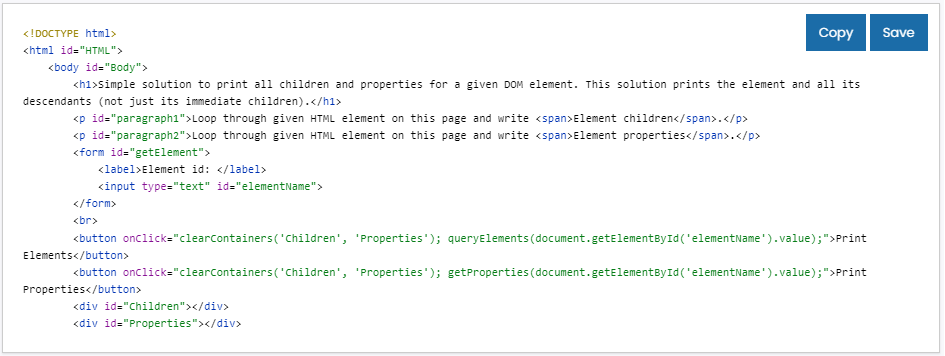
<!DOCTYPE html>
<html id="HTML">
    <head>
        <title>Children and Properties</title>
    </head>
    <body id="Body">
        <h1>Simple solution to print all children and properties for a given DOM element. This solution prints the element and all its descendants (not just its immediate children).</h1>
        <p id="paragraph1">Loop through given HTML element on this page and write <a href="https://developer.mozilla.org/en-US/docs/Web/API/Element/children" target="_blank">Element children</a>.</p>
        <p id="paragraph2">Loop through given HTML element on this page and write <a href="https://developer.mozilla.org/en-US/docs/Web/API/Element" target="_blank">Element properties</a>.</p>
        <form id="getElement">
            <label>Element id: </label>
            <input type="text" id="elementID">
        </form>
        <br>
        <button onClick="clearContainers('Children', 'Properties'); queryElements(document.getElementById('elementID').value);">Print Elements</button>
        <button onClick="clearContainers('Children', 'Properties'); getProperties(document.getElementById('elementID').value);">Print Properties</button>
        <div id="Children"></div>
        <div id="Properties"></div>
        <script>
            function clearContainers(...ids) {
                for (var i = 0; i < ids.length; i++) {
                    document.getElementById(ids[i]).innerHTML = "";
                }
            }

            function queryElements(id) {
              const elementsArray = [];
              var element = document.getElementById(id);
              var result = "<h3>ELEMENT " + element.tagName + " ID=" + element.id + " CHILDREN</h3>";
                  var allElements = document.querySelectorAll(element.tagName + " *")
                  for (var i = 0; i < allElements.length; i++) {
                      result = result + allElements[i].tagName + "<br>";
                  }
              document.getElementById("Children").innerHTML = result;
            }

            function getProperties(id) {
                var element = document.getElementById(id);
                var result = "<h3>ELEMENT " + element.tagName + " ID=" + element.id + " PROPERTIES</h3>"
                for (property in element) {
                    result = result + `${property}: ${element[property]}` + "<br>";
                }
                document.getElementById("Properties").innerHTML = result;
            }
        </script>
    </body>
</html>
The program reads from the input the id of the element and passes it to two functions.
The function queryElements uses an iterative approach to find all children of the given element. It adds a special character “*” to fetch all nodes.
The function getProperties also uses iteration but more advanced approach via for in loop for object properties.
There is also another function clearContainers, which accepts an array of arguments (elements ids) to clear the holding containers before every execution of the other two functions.
Learn more about DOM Element children and DOM Element properties.
You can test this solution using Online HTML Editor.
Comments