I am the vine, ye are the branches: He that abideth in me, and I in him, the same bringeth forth much fruit: for without me ye can do nothing.
John 15:5
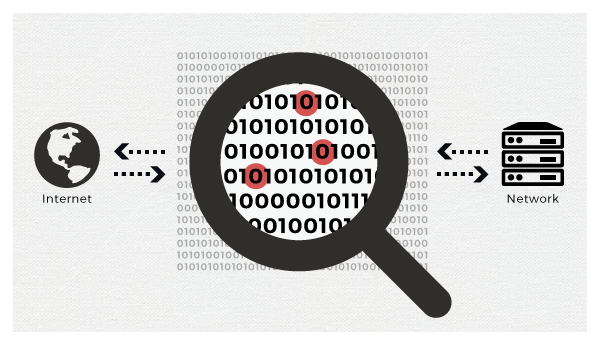
Monitoring host or service is not an easy task. There are many port scanners that uses raw IP packets to determine what hosts are available on the network, what services those hosts are offering, what operating systems (and OS versions) they are running. I offer a simple solution to scan the ports of any server. It is written in JavaScript and gives good results. Just type the URL and desired ports, and click the Scan button.
<!DOCTYPE html>
<html>
    <head>
        <script src="https://ajax.googleapis.com/ajax/libs/jquery/1.12.4/jquery.min.js"></script>
        <title>JavaScript ports scanner</title>
    </head>
    <body>
        <h2>JavaScript ports scanner</h2>
        <p>Enter the server address and ports separated by commas.</p>
        <label>Server:</label>
        <input type = "text" id = "address" placeholder = "google.com">
        <label>Ports:</label>
        <input type = "text" id = "ports" placeholder = "22,25,80">
        <input id = "scan" type = "button" value = "Scan" onclick="setTable(); portscanner.init()">
        <br><br>
        <table id = "results"></table>
        <script>
            function setTable() {
                var host = document.getElementById("address").value.replace(/\s/g,'');
                var ports = document.getElementById("ports").value.replace(/\s/g,'');
                const portsArray = ports.split(',');
                var table = document.getElementById("results");
                while (table.firstChild) {
                    table.removeChild(table.firstChild);
                }
                for (var i = 0; i < portsArray.length; i++) {
                    var row = table.insertRow();
                    if (host && portsArray[i]) {
                        var cell = row.insertCell();
                        cell.innerHTML = host + ":" + portsArray[i];
                        cell = row.insertCell();
                        cell.innerHTML = host + ":" + portsArray[i];
                        cell.setAttribute("class", "port");
                    }
                }
            }

            function PortScanner() {

                /* intentionally left blank */
            }

            PortScanner.prototype.init = function() {
                var self = this;

                /* iterate over all elements with class "portscanner" */
                $(".port").each(function(index) {

                /* split the content of the element into host and port */
                var target = $(this).text();
                var parts = target.split(":");
                var host = parts[0];
                var port = parts[1];

                /* perform the check for the host and port */
                var element = $(this);
                self.check(function(target,port,status) {

                    /* put the status into the element */
                    element.text(status);
                    }, host, port, 1000);
                });
            };

            /* Taken from http://www.gnucitizen.org/blog/javascript-port-scanner */
            PortScanner.prototype.check = function (callback, target, port, timeout) {
                var timeout = (timeout == null)?100:timeout;
                var img = new Image();
                img.onerror = function () {
                    if (!img) return;
                    img = undefined;
                    callback(target, port, 'open');
                };
                img.onload = img.onerror;
                img.src = 'http://' + target + ':' + port;
                setTimeout(function () {
                    if (!img) return;
                    img = undefined;
                    callback(target, port, 'closed');
                }, timeout);
            };

            var portscanner = new PortScanner();
        </script>
    </body>
</html>
Test JavaScript ports scanner
You can test this simple solution using Online HTML Editor.
Comments